Dashboard
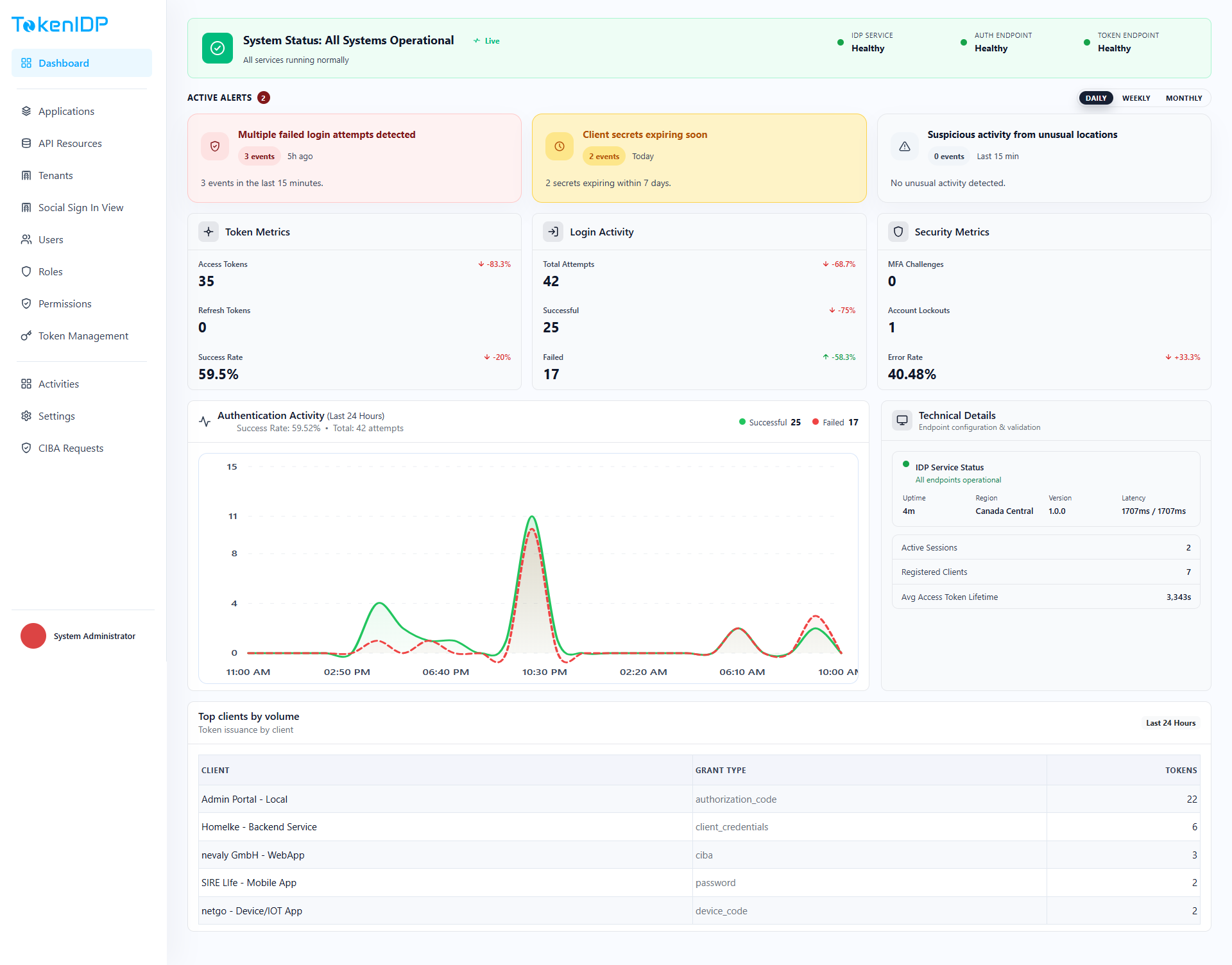
The Dashboard gives operators a fast view of tenant health, user activity, token posture, and expiring client secrets.
Where it helps
Use the Dashboard to spot unusual activity, onboarding progress, expiring secrets, and operational exceptions without querying the database directly.
Workflow
- Sign in to the Admin Portal.
- Select the Tenant context.
- Open Dashboard.
- Review summary cards and time-based trends.
- Drill into detailed pages when a metric looks abnormal.
Example
Review the expiring client-secret widget weekly and rotate any secret approaching its expiration window before dependent services fail.
Common Pitfalls
- Treating dashboard totals as a substitute for audit detail.
- Ignoring Tenant context and reading the wrong environment.
Troubleshooting
- If counts look stale, inspect cache freshness and recent activity ingestion.